AP Teachers AAS Mobile Software – Calculate Pay & Prepare Documents Easily
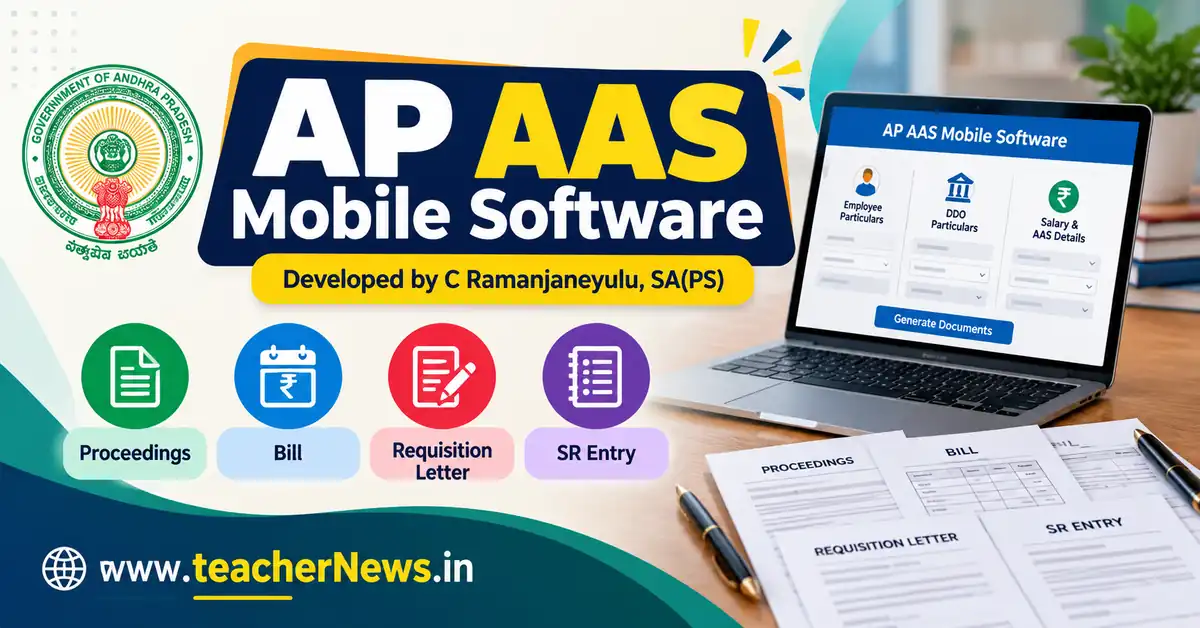
AP AAS Mobile Software 2026 is a convenient online tool for Andhra Pradesh teachers and employees who need to prepare Automatic Advancement Scheme (AAS) pay-fixation (6-12-18-24-30 Years) details and related documents. The TeacherNews.in mobile-friendly form brings employee particulars, DDO particulars, and salary/AAS details together in one place and was developed by C Ramanjaneyulu, SA(PS). Users can enter their service information, select applicable pay scales, and review the information before preparing document drafts.
The AP AAS Mobile Software 2026 is designed to make the data-entry process easier on mobile phones, tablets and computers. Instead of managing multiple fields on a wide Excel worksheet, users can enter details step by step and use the shortcode page to access the tool. The available document options include AAS Proceedings, Bill, Requisition Letter, and Service Register (SR) Entry. Always verify the generated particulars against the applicable Government Orders and approved treasury rules before official submission.
📢 Join Our Official Channels for Daily Updates
📱 Join WhatsApp Channel 🚀 Join Telegram ChannelGet daily TeacherNews updates directly on your mobile.
AP AAS Mobile Software 2026 – Open the Online Tool
Teachers and employees looking for AP AAS Mobile Software can open the dedicated TeacherNews.in page and enter their particulars in the available form. The mobile layout separates employee information, DDO information and salary/AAS details to make data entry easier. Complete each section carefully before reviewing the information and generating the required document.
TeacherNews.in · Andhra Pradesh · Mobile EditionEmployees & Teachers AAS Software
Open AAS Software & Related Resources
Website administrators can place this shortcode on the intended WordPress page where the AAS mobile form should appear. Visitors should use the published software page rather than inserting the shortcode into an ordinary paragraph. The shortcode works when the corresponding AAS snippet is enabled and configured on the website.
What Is the AP Teachers Automatic Advancement Scheme?
The Automatic Advancement Scheme (AAS) provides specified pay-scale benefits to eligible employees after completing the prescribed qualifying service, subject to the applicable service rules, qualifications and Government Orders. The employee’s cadre, qualifying service, previous benefits and applicable pay scale are important when determining the correct AAS stage.
Andhra Pradesh Government G.O.Ms.No.68, Finance (HRM.V-PC) Department, dated 12 June 2015, deals with the implementation of the Automatic Advancement Scheme. It refers to Special Grade after six years, SPP-IA/SAPP-IA after twelve years, SPP-IB/SAPP-IB after eighteen years, and SPP-II/SAPP-II after twenty-four years, subject to the relevant conditions.
Read the original order before relying on any software-generated result: Download and read AP G.O.Ms.No.68 PDF. A software result does not replace the sanction of the competent authority.
Key Features of AP AAS Mobile Software
1. Employee Particulars
The employee section collects personal and service-related details needed for the document drafts. These include the employee’s name and title, date of joining the present cadre, date of birth, department, designation, school or office name, place of work, mandal, district, qualifications and Treasury ID or employee ID. Enter the information exactly as recorded in the relevant service records.
2. DDO Particulars
The DDO section contains details used in the official-document drafts, such as the authority or proceedings designation, DDO name, DDO office name, head-office or place details, district, and qualifications. Verify spellings, office particulars and proceedings reference numbers before printing. Correct DDO information helps make the generated drafts easier to review and process.
3. Salary Particulars and AAS Details
The salary section includes the basic pay on the AAS date, AAS service stage, Before AAS Scale of Pay, After AAS Scale of Pay, approved fixed basic pay, EOL period, PF/CPS selection, increment month and year, departmental test status, HRA, DA and the bill-preparation month. Select the appropriate values carefully. A wrong scale, basic pay or service date can change the resulting figures.
The software provides fields for selecting applicable pay scales and entering pay-related details. The final fixed basic pay must be checked against the sanctioned pay-fixation calculation and relevant rules. Do not assume that every employee is eligible for every scale or service stage.
4. AAS Proceedings Draft
The Proceedings option prepares a formatted draft using the employee, DDO, and salary particulars entered in the form. It includes information such as the employee’s designation, place of working, mandal, service-completion details, applicable pay scale, fixed pay, and proceedings reference particulars. Check the dates, Government Order references, and wording before printing or signing.
5. AAS Arrears Bill
The Bill option prepares a bill-style statement for reviewing monthly arrears details. Depending on the entered particulars and available calculations, the statement presents pay-related components, differences, deductions and totals. Review every month and confirm that the bill period matches the intended claim period. The final amount should be reconciled with the approved Excel calculation and treasury requirements.
6. Requisition Letter
The Requisition Letter option generates a draft request based on the entered employee and office particulars. It can be reviewed before printing, signing, and submitting to the competent authority. Verify the subject, references, qualifying-service date, existing basic pay, proposed fixed pay, and pay scales against the employee’s records.
7. Service Register Entry
The SR Entry option prepares a draft entry for recording AAS pay-fixation particulars in the Service Register. It includes employee information, designation, joining date, qualifying-service details, departmental test information, AAS appointment date, existing pay, and fixed pay details. The authorised office must verify the entry and complete the official Service Register procedure.
How to Use AP AAS Mobile Software Step by Step
- Open the software: Visit the AAS software page on TeacherNews.in.
- Enter employee details: Fill in the employee’s name, designation, service dates, workplace, and identification details.
- Complete DDO particulars: Enter the correct authority, office, and related details.
- Fill in salary information: Select the applicable AAS stage and pay scales, then enter or select the relevant pay, DA, HRA, PF/CPS, and increment details.
- Review the information: Check every field, especially the joining date, completion date, AAS effective date, basic pay, and scale.
- Prepare the required document: Select Proceedings, Bill, Requisition Letter or SR Entry.
- Print and verify: Check the print preview and reconcile all figures with the sanctioned records before official use.
- Developed by: C Ramanjaneyulu SA (PS)
Entering correct data is essential. If the employee has extraordinary leave, a change of cadre, a previous advancement benefit or another service-related complication, confirm how the applicable rules treat that circumstance before finalising the calculation.
AP AAS Mobile Software vs Excel AAS Software
The mobile form and an Excel-based AAS workbook serve related purposes, but their interfaces differ. The mobile form organises data into sections and offers document-generation options from the same page. Excel workbooks may contain additional worksheets, formulas, tables and department-specific calculations. Users who already use an Excel tool can compare the generated particulars with the original workbook.
For the existing Excel resource, visit AP Employees AAS Excel Software – 6/12/18/24 Years Automatic Advancement. Keep the relevant workbook and approved calculation records available when checking pay fixation and arrears.
Do not assume that a mobile interface automatically reproduces every formula from a legacy Excel workbook. If a workbook contains broken references or a formula that has not been verified, the affected calculation must be checked separately. Use the mobile software as a document-preparation aid and confirm the figures with the approved departmental process.
Important Checks Before Printing AAS Documents
- Confirm the date of joining in the present cadre from the Service Register.
- Verify qualifying service and EOL treatment under the applicable rules.
- Check whether the selected AAS stage applies to the employee’s cadre and circumstances.
- Confirm the Before AAS and After AAS scales from the applicable scale table.
- Verify the approved fixed basic pay and increment date.
- Check DA, HRA, PF/CPS deductions and month-wise arrears against the authorised calculation.
- Confirm the DDO details, proceeding number, order date, and relevant G.O. references.
- Obtain the required approval and signatures before submitting any official bill or proceeding.
These checks are important because AAS eligibility and pay fixation depend on the applicable Government Orders and service records. A formatted document alone does not establish eligibility or approval.
Latest AP AAS Software Updates
For the latest AP AAS Mobile Software access, use the TeacherNews.in software page linked above. For Government Order changes, use the relevant Andhra Pradesh Finance Department orders and official departmental instructions. A software page update and a Government Order update are not the same thing: always check the date, number, and applicability of the actual order.
For the underlying AAS framework, consult G.O.Ms.No.68 dated 12-06-2015. You can also visit the Andhra Pradesh Finance Department website to look for official financial orders and instructions. Check the latest applicable orders before processing an employee’s case.
TeacherNews.in provides educational resources and software information to help teachers and employees organise their work. Please verify important financial and service matters with the competent authority before taking official action.
Frequently Asked Questions – AP AAS Mobile Software
1. What is AP AAS Mobile Software?
AP AAS Mobile Software is a mobile-friendly form on TeacherNews.in for entering employee, DDO, and salary/AAS particulars and preparing document drafts such as Proceedings, Bill, Requisition Letter, and SR Entry.
2. How can I open AP AAS Mobile Software?
Visit the TeacherNews.in AAS software page. The software can be accessed through the page where the shortcode is enabled.
3. Which documents can I prepare using the software?
The available document options are AAS Proceedings, Bill, Requisition Letter, and Service Register Entry. Review each draft and verify all dates, pay scales, amounts, and references before official submission.
4. Does the software guarantee correct AAS pay fixation?
No software output should be treated as final approval. Eligibility, qualifying service, pay fixation, deductions and arrears must be checked against the applicable Government Orders, service records, approved calculations and treasury rules.
5. Where can I find the AP AAS Government Order?
You can read AP G.O.Ms.No.68, dated 12 June 2015, which sets out the AAS framework described in this article. Check for later orders and clarifications applicable to the employee’s case.
Conclusion
AP AAS Mobile Software helps teachers and employees organise the information required for AAS-related document preparation through a mobile-friendly interface. Employee details, DDO particulars and salary/AAS information can be entered in sections, followed by document drafts for Proceedings, Bill, Requisition Letter and SR Entry.
Use the shortcode page on TeacherNews.in to access the form. For a reliable result, enter accurate service particulars, consult the applicable Government Orders, and verify every pay-related figure before printing, signing or submitting documents.