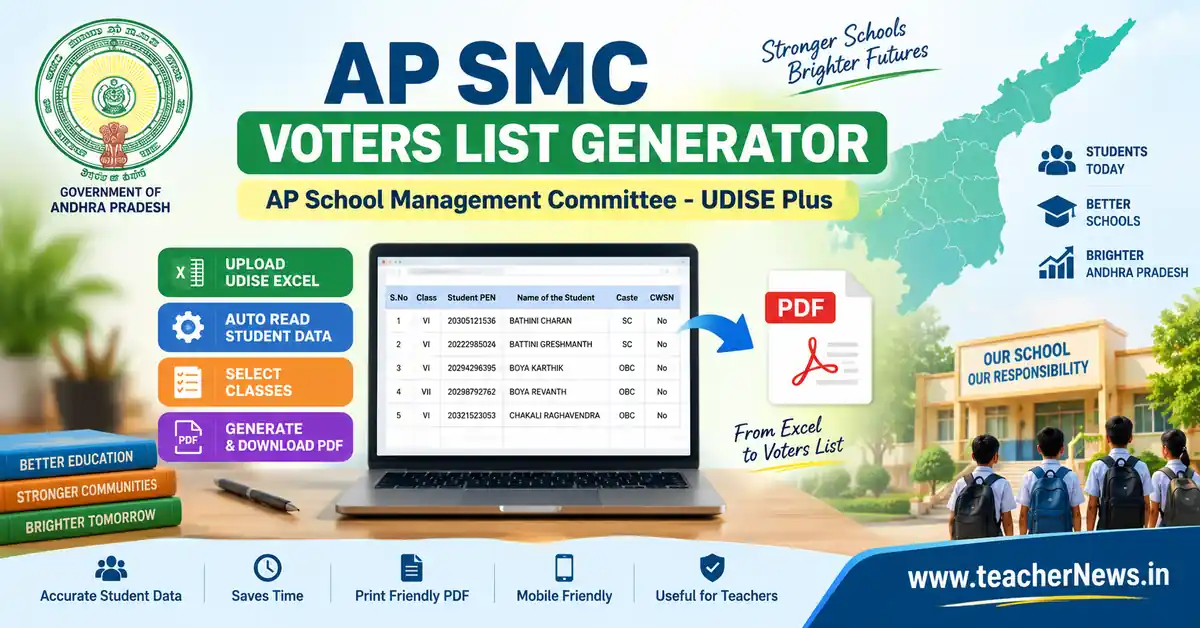
AP SMC Voters List Generator 2026 – Excel to PDF
AP SMC Automatic Voters List Generator 2026 is a simple online tool designed to help Andhra Pradesh school teachers and Headmasters prepare the School Management Committee (SMC) voters list from UDISE student data. Instead of entering every student manually, teachers can upload the available UDISE Excel file and generate a printable voters list in PDF format.
This AP SMC Automatic Voters List Generator is designed with a simple workflow: upload the Excel file, check the student data, select the required classes, and generate the PDF. The tool is especially useful when a school has a large number of students and preparing the SMC voters list manually would take considerable time. The generated PDF can be viewed and downloaded on both desktop and mobile devices.
📢 Join Our Official Channels for Daily Updates
📱 Join WhatsApp Channel 🚀 Join Telegram ChannelGet daily TeacherNews updates directly on your mobile.
AP SMC Automatic Voters List Generator 2026
The SMC voters list preparation process generally requires accurate student information such as class, student name, Student PEN, gender, caste/category, CWSN status and parent or guardian details. The sample SMC voters-list format used for this tool contains columns such as S.No, Class, Student PEN, B/G, Name of the Student, Ad.No., Caste, CWSN, Father/Guardian Name and Mother Name.
Our AP SMC Automatic Voters List Generator reduces repeated data-entry work by using the student information available in the uploaded Excel file. After uploading the file, the tool reads the available student records and displays the classes found in the data. Teachers can then select the required classes before generating the final PDF.
How to Use AP SMC Automatic Voters List Generator
Using the AP SMC Automatic Voters List Generator is simple. Follow the steps below to prepare the voters list.
Step 1: Prepare the UDISE Excel File
First, keep the required UDISE student-details Excel file ready on your computer or mobile device. The student information should be updated and verified before using the generator.
UDISE+ is the official school-education data platform under the Department of School Education & Literacy, Ministry of Education, Government of India. It provides school and student-related data management facilities for recognised schools.
Step 2: Upload Excel File
Open the SMC voters-list generator below and click the Choose Excel File button. Select the UDISE Excel file from your device.
The tool reads the Excel file directly in the browser. This makes the process easier because teachers do not have to manually type hundreds of student records into the form.
Step 3: Check School and Student Details
After the Excel file is processed, the tool displays the available student information and class details. The number of students and available classes can be checked before creating the PDF.
If the Excel data contains classes VI, VII, VIII, IX, and X, those classes can be selected according to the requirement of the school.
Step 4: Select Required Classes
Select the classes that should be included in the SMC voters list. Teachers can select all available classes or select only the required classes.
This option is useful when a school needs a separate voters list for particular classes or when only specific classes are required for the SMC election-related documentation.
Step 5: Generate SMC Voters List PDF
After selecting the classes, click the Generate PDF button. The tool prepares the voters list in a print-friendly PDF format.
The generated document is designed for easy viewing, printing, and downloading. Teachers can download the PDF and keep it for school records or further official processing as required.
AP SMC Automatic Voters List Generator 2026
Upload your UDISE Excel file, select the required classes, and generate the SMC voters list PDF.
AP SMC Voters List PDF Features
The AP SMC Automatic Voters List Generator is designed with practical features for teachers. The main purpose is to make the voters-list preparation process faster and easier without unnecessary manual entry.
- UDISE Excel file upload
- Automatic student-data reading
- Class-wise student filtering
- VI, VII, VIII, IX and X class support
- Student PEN information
- Gender information
- Student name
- Caste/category information
- CWSN information
- Father/Guardian details
- Mother name
- SMC voters-list PDF generation
- Mobile-friendly interface
- PDF download option
- Tentative and Final list option
- Print-friendly A4 PDF format
AP SMC Automatic Voters List Generator – Mobile-Friendly
The tool is designed to be useful on both computers and mobile phones. Many teachers now use smartphones for school-related work, so the interface is kept simple with large buttons and a straightforward upload process.
After generating the PDF, the download option can be used to save the document on the device. The PDF can then be opened using the phone’s built-in PDF viewer or another PDF application.
Why UDISE Excel Data Is Useful for SMC Voters List Preparation
Student-wise information maintained through UDISE+ can reduce repetitive data-entry work when preparing school records. The official UDISE+ platform provides facilities for recording school and individual student information, with data validation and verification processes at different administrative levels.
The Andhra Pradesh Department of School Education website also currently directs schools to UDISE+ for student-data updates and refers to UDISE+ as the single source for data entry in its update section. Teachers should therefore ensure that the source Excel data is the latest available and correctly updated before generating any school document.
Official UDISE+ information can be checked here: UDISE+ Official Website
Andhra Pradesh Department of School Education official website: AP School Education Official Website
Check Student Data Before Downloading the PDF
Before using the generated SMC voters list for school purposes, teachers should check the student records carefully. Verify the class, student name, Student PEN, gender, caste/category, CWSN status and parent or guardian information against the school’s available records.
The generator is intended to make document preparation easier; it does not independently verify the correctness of the information contained in the uploaded Excel file. Therefore, the accuracy of the final document depends on the accuracy of the source data.
AP SMC Automatic Voters List Generator – Tentative and Final List
The generator includes an option for preparing a Tentative or Final voters list. When preparing a tentative list, schools can use it for checking the available student details and identifying any corrections that may be required.
After the necessary school-level verification and corrections are completed, the appropriate list type can be selected while generating the PDF. Teachers should follow the instructions and schedule communicated by the competent education authorities for the SMC election process.
Useful TeacherNews Links
Teachers can also check other useful resources available on TeacherNews.in:
Important Instructions for Teachers
- Use the latest available UDISE student-details Excel file.
- Check student information before generating the PDF.
- Select only the required classes.
- Review the generated PDF before printing.
- Keep a copy of the generated PDF for school records where appropriate.
- Follow the latest official instructions issued by the competent education authorities.
AP SMC Automatic Voters List Generator 2026 – FAQs
1. What is the AP SMC Automatic Voters List Generator?
The AP SMC Automatic Voters List Generator is an online TeacherNews tool that helps schools create an SMC voters list from UDISE student-details Excel data and download the result as a PDF.
2. Can I upload a UDISE Excel file?
Yes, the tool is designed to accept a UDISE student-details Excel file and read the available student records from the uploaded file.
3. Which classes can be selected?
The generator supports the required secondary-school classes such as VI, VII, VIII, IX and X, subject to the classes available in the uploaded Excel data.
4. Can the generated SMC voters list be downloaded on mobile?
Yes, the tool is designed with a mobile-friendly interface and provides a PDF download option after the voters list is generated.
5. Should the generated PDF be checked before official use?
Yes, teachers should verify the generated PDF against the school’s official records and follow the latest instructions issued by the competent education authorities before using it for official purposes.